
Many beginner developers think a task is finished when the code runs successfully on their local machine.
For example:
“The login feature is done. It works on my laptop.”
At first, this may sound fine. But in a real project, especially in a team environment, that statement is not enough.
Why?
Because a software development task is not done just because the coding is done.
A task can only be considered complete when the work meets the standards agreed by the team. This standard is commonly called the Definition of Done.
What Is Definition of Done?
Definition of Done is a list of criteria that determines when a task can truly be considered complete.
Not done based on the developer’s feeling.
Not done because “the code has been written.”
Not done because “there is no error on my laptop.”
But done because it meets the quality standard agreed by the team.
A simple example:
A task is considered done when:
- the acceptance criteria are met
- the code has been tested
- the code has been reviewed
- the code has been merged
- the feature works in the required environment
- documentation is created if needed
In other words, Definition of Done helps the team answer this question:
“Is this task really ready to be used, or is it only finished on the developer’s local machine?”
Why “Coding Is Done” Is Not Enough
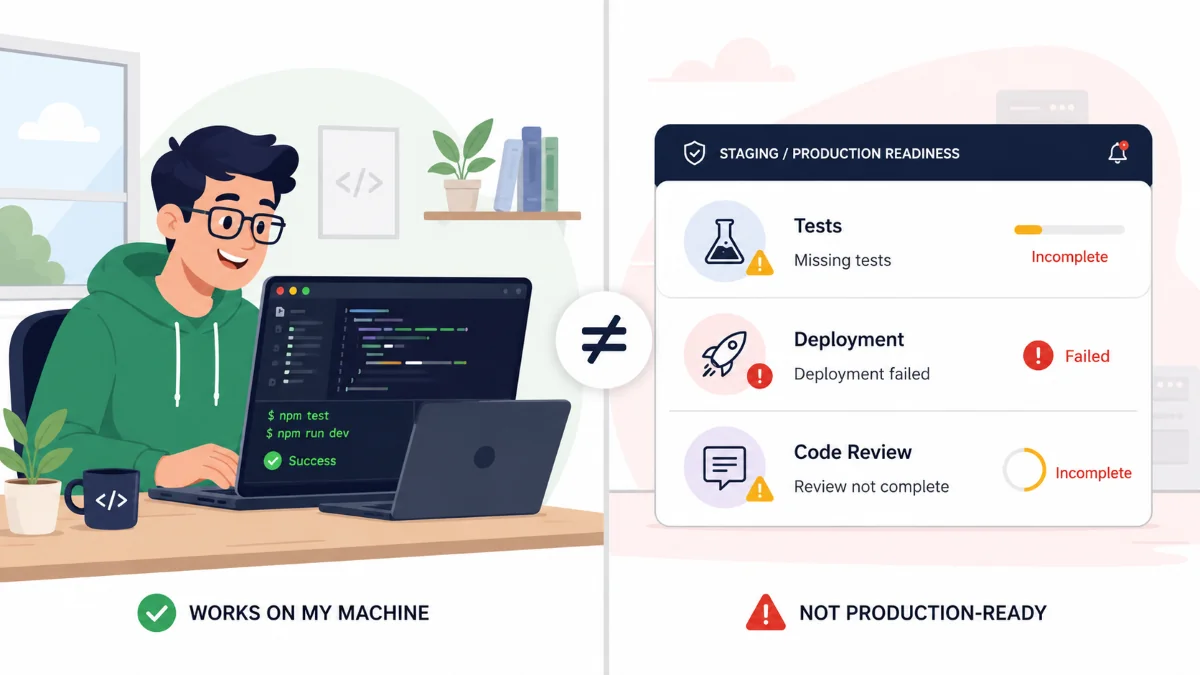
Coding is only one part of the development process.
In real projects, a good feature is not only a feature that works on the developer’s computer. It also needs to:
- solve the user’s problem
- match the business requirement
- avoid major bugs
- be readable and maintainable by other developers
- be safely integrated into the main codebase
- run properly on the target server or environment
For example, you receive a task:
Build a document upload feature for users.
You create the upload form, save the file to a local folder, and the upload works on your laptop.
Is the task done?
Not necessarily.
There are many follow-up questions:
- Is the file size limited?
- Is the file type validated?
- Are the error messages clear?
- Can the file be opened again after upload?
- Has the feature been tested with a large file?
- Is the storage path safe on the server?
- Does it match the user requirement?
- Has it been reviewed by a senior developer or teammate?
- Has it been merged into the main branch?
- Has it been tested in staging?
If those things are not clear yet, the task is probably coding done, but not delivery done.
Acceptance Criteria: The Minimum Requirement for a Feature to Be Accepted
One important part of Definition of Done is acceptance criteria.
Acceptance criteria are the conditions that must be fulfilled before a feature can be accepted.
Example task:
As an admin, I want to deactivate a user so that the user can no longer log in to the system.
The acceptance criteria could be:
1. Admin can see the "Deactivate" button on the user detail page.
2. After clicking the button, the system shows a confirmation dialog.
3. If the admin confirms, the user status changes to inactive.
4. A user with inactive status cannot log in.
5. The system records the status change history.
6. The admin sees a success message after the process is completed.
If the developer only creates the “Deactivate” button, but inactive users can still log in, then the task is not done.
Even if the code exists.
Even if the button appears.
Even if there is no error.
Because the acceptance criteria have not been fully met.
Testing: Do Not Only Test the Happy Path
A common mistake among beginner developers is testing only the normal scenario.
For example:
Uploading a small PDF file works. So the upload feature is done.
But an upload feature also needs to be tested with other scenarios:
- Uploading an invalid file format
- Uploading a file that is too large
- Uploading without selecting a file
- Uploading with a slow connection
- Uploading a file with the same name
- Uploading by a user without permission
Testing is not only about proving that the feature works.
Testing also helps discover how the feature can fail.
In real projects, bugs often appear not in the normal scenario, but in negative cases and edge cases.
Simple example:
Happy path:
The user fills in all fields correctly, then submits successfully.

Negative case:
The user leaves a required field empty, and the system must show an error message.

Edge case:
The user enters a 255-character name, and the system must still behave safely.
If a feature is only tested through one normal path, the task is not mature enough.
Code Review: Code Is Not Only for Machines
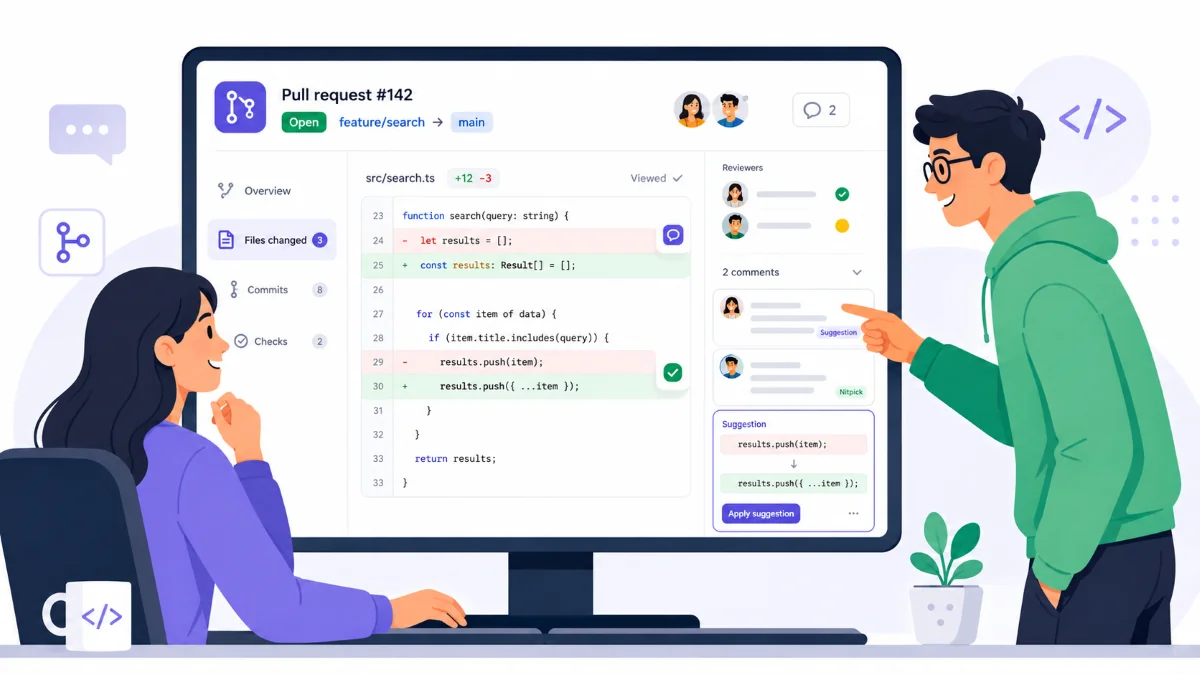
Code is executed by computers.
But code is also read by humans.
That is why code review is an important part of Definition of Done.
Through code review, a teammate or senior developer can check:
- whether the logic is correct
- whether the code is easy to read
- whether there is duplicated code
- whether there are potential bugs
- whether there are security risks
- whether the change is too large and difficult to understand
- whether variable and function names are clear
Example of code that works but is not very clear:
if (x == 1) {
    y = true;
}
The code may run, but other developers may ask:
What is x?
What does 1 mean?
What is y used for?
A clearer version:
if (userStatus == STATUS_ACTIVE) {
    canLogin = true;
}
The function may be the same, but the second version is easier to understand.
This is where code review helps. It is not about blaming someone. It is about maintaining quality together.
Merge: A Task Is Not Done If It Is Still in Your Own Branch
In a Git workflow, developers usually work in their own branches.
For example:
feature/user-deactivation
You may have completed the code in that branch.
But as long as the code has not been merged into the target branch, such as develop, main, or a release branch, the feature is not really part of the application yet.
Why is this important?
Because code that works in your own branch may not be safe when combined with other people’s code.
Possible problems include:
- conflicts with another developer’s changes
- tests failing after merge
- missing dependencies
- database migrations not being applied
- environment configurations not being available
So, a task that is still sitting in a personal feature branch usually cannot be considered fully done.
Deploy: Local Machine Is Not Production
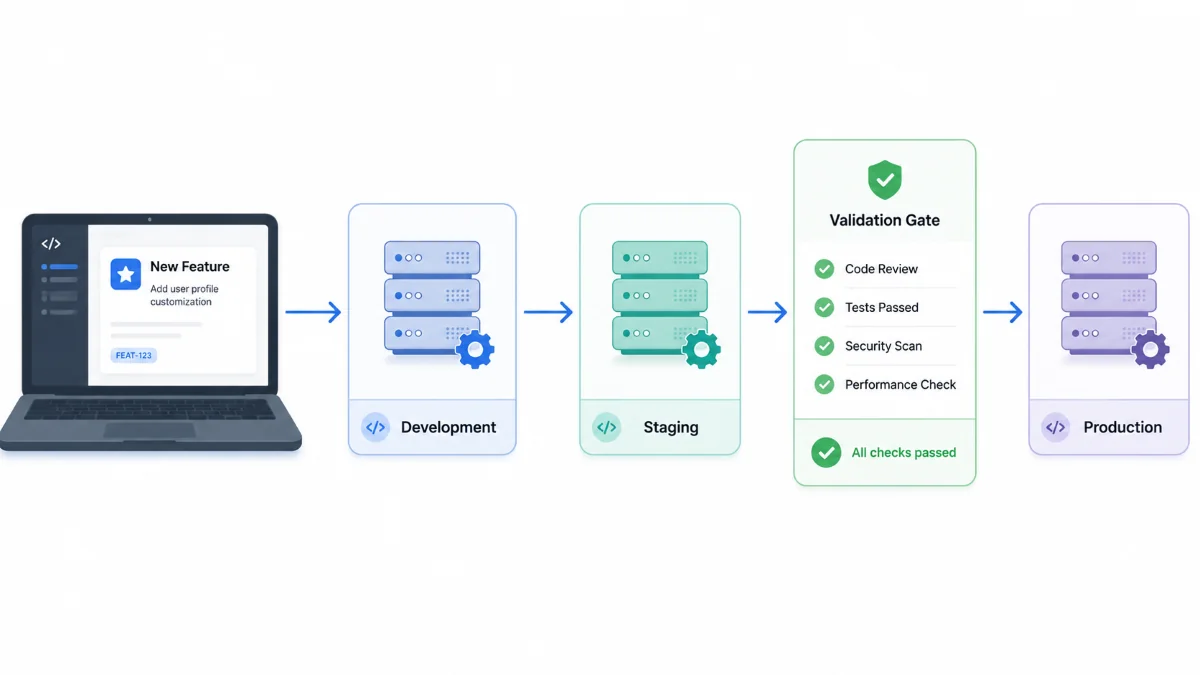
A classic phrase in programming:
“But it works on my machine.”
The problem is, users do not use the developer’s laptop.
Users use the application that runs in a specific environment, such as development server, staging, UAT, or production.
That is why a task that works locally is not automatically ready to be used.
Different environments can cause issues such as:
- different database versions
- missing environment variables
- different folder permissions
- different server configurations
- missing dependencies
- different file paths between Windows and Linux
Example:
Locally, you save uploaded files to:
C:\Users\Developer\uploads
But the production server uses Linux and does not have that path.
As a result, the upload feature fails after deployment.
This is why a production-ready mindset is important. Developers need to think:
“Does this feature only work on my laptop, or is it truly ready to run in the target environment?”
Documentation: It Does Not Always Have to Be Long, But Important Things Should Not Disappear
Not every task needs long formal documentation.
However, some changes need to be recorded so the team does not get confused later.
Documentation may be needed when a task includes:
- a new API endpoint
- database structure changes
- new environment configuration
- business flow changes
- new validation rules
- a new job or scheduler
- integration with another system
Example of simple API documentation:
POST /api/users/{id}/deactivate

Description:
Deactivate a user so they can no longer log in.

Request:
- id: User ID

Success response:
{
  "message": "User deactivated successfully"
}

Business rules:
- Only admins can deactivate users.
- Inactive users cannot log in.
Documentation like this helps frontend developers, QA engineers, technical writers, support teams, and even future developers who will maintain the feature.
Simple Example of Definition of Done
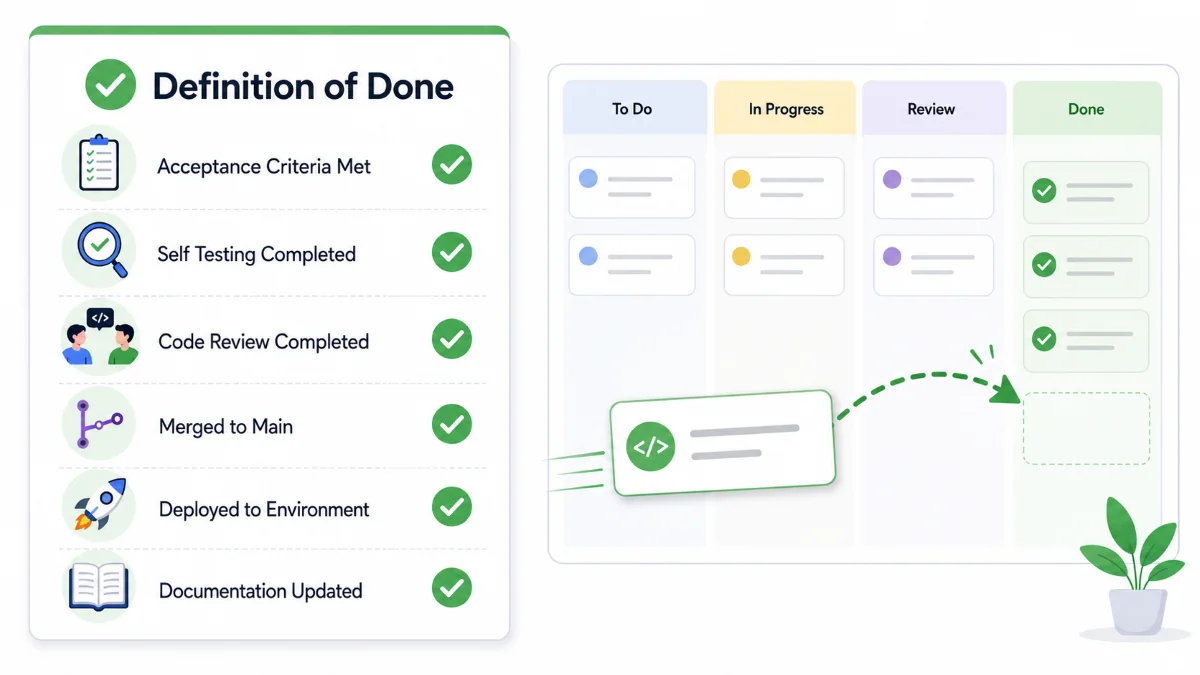
Here is a simple Definition of Done that can be used in a development team:
A task is considered Done when:

1. All acceptance criteria have been fulfilled.
2. The code follows the project standard.
3. The developer has performed self-testing.
4. Important negative cases and edge cases have been checked.
5. Unit tests or integration tests are created if needed.
6. There are no major errors in the console or logs.
7. A pull request has been created.
8. Code review has been completed.
9. Review feedback has been addressed.
10. The code has been merged into the target branch.
11. The feature runs successfully in the required environment.
12. Documentation is created or updated if there are important changes.
This list can be different for every team.
A small team may use a simpler version.
An enterprise team may have stricter standards, including security scans, performance tests, QA approval, and release notes.
The important thing is that the team has a clear and shared definition of what “done” means.
Example Case: Login with Google
Suppose there is a task:
Implement login using a Google Account.
A beginner developer may think the task is done when the “Login with Google” button opens a popup and returns the user’s email.
But with Definition of Done, the checklist becomes more complete:
Acceptance Criteria:
- User can log in using a Google Account.
- If the email is already registered, the user is redirected to the dashboard.
- If the email is not registered, the system shows a message based on the business rule.
- If the user cancels the login process, the system shows an appropriate message.
- If the token is invalid, the system rejects the login.
- Login activity is recorded in the log.

Testing:
- Test with a valid account.
- Test with an unregistered account.
- Test canceled login.
- Test expired token.
- Test failed connection.

Review:
- Pull request is created.
- Authentication logic is reviewed.
- No credentials are hardcoded.

Deploy:
- Client ID and secret are available in the target environment.
- Callback URL matches the staging or production domain.

Documentation:
- Environment variables are documented.
- Login flow is updated if needed.
From this example, we can see that “coding is done” is only a small part of the work.
Production-Ready Mindset
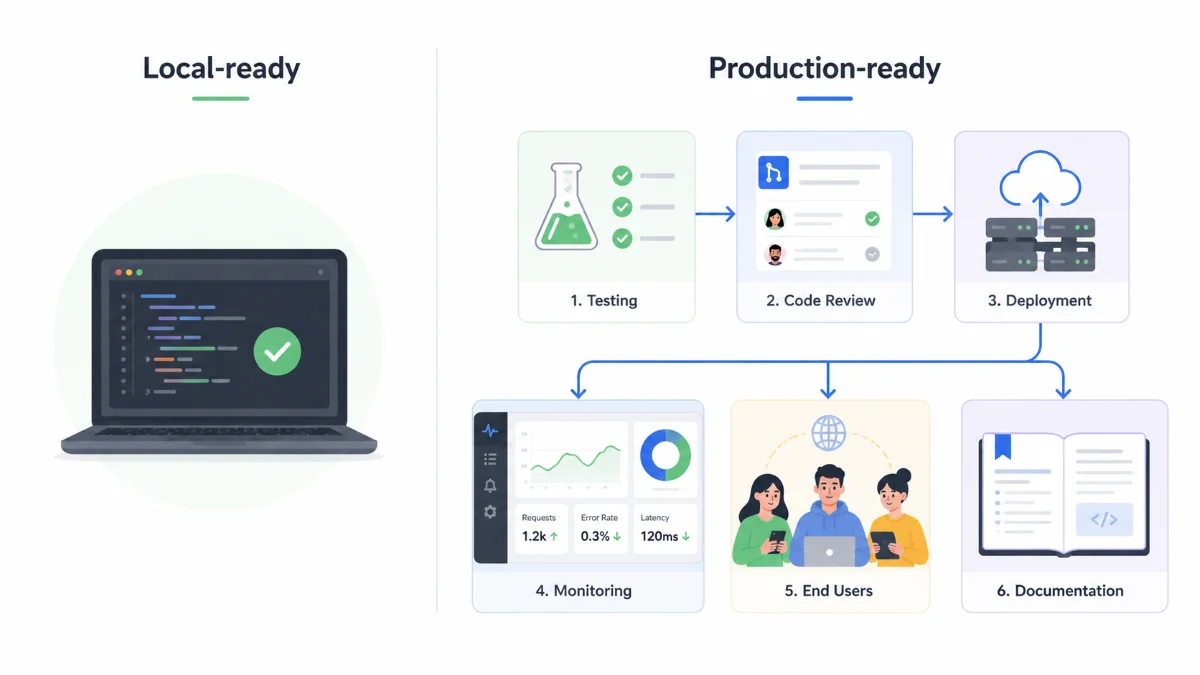
Definition of Done teaches developers to think more broadly.
Not only:
“How do I make this feature work?”
But also:
“How do I make sure this feature is safe, matches the requirement, can be tested, can be reviewed, can be maintained, and is ready to be used?”
This is the difference between a local-ready mindset and a production-ready mindset.
Local-ready
- Works on the developer’s laptop
- Tested with one scenario
- May not fully match the requirement
- Has not been reviewed
- Not ready to be used by users
Production-ready
- Meets the acceptance criteria
- Tested with important scenarios
- Reviewed by the team
- Integrated into the main codebase
- Runs in the target environment
- Has documentation if needed
Developers with a production-ready mindset are more trusted in a team because they do not only deliver code. They deliver work that is actually ready to be used.
Common Mistakes Beginner Developers Make
Here are some common mistakes:
1. Thinking a task is done when the feature appears to work
The UI may look correct, but the business rules may still be incomplete.
Example:
The approve button appears, but there is no role validation.
2. Not reading the acceptance criteria carefully
The developer starts coding without understanding the conditions for the feature to be accepted.
As a result, the feature may be technically completed but still miss the user’s actual need.
3. Not testing failure scenarios
The developer only tests valid input, but does not test empty input, invalid data, or unauthorized access.
4. Not checking the impact on other features
A small change in one module can break another module.
Example:
Changing the API response structure without coordinating with the frontend team.
5. Not writing notes for important changes
As a result, other team members get confused when there is a new configuration, new endpoint, or changed business flow.
Personal Checklist Before Saying “Done”
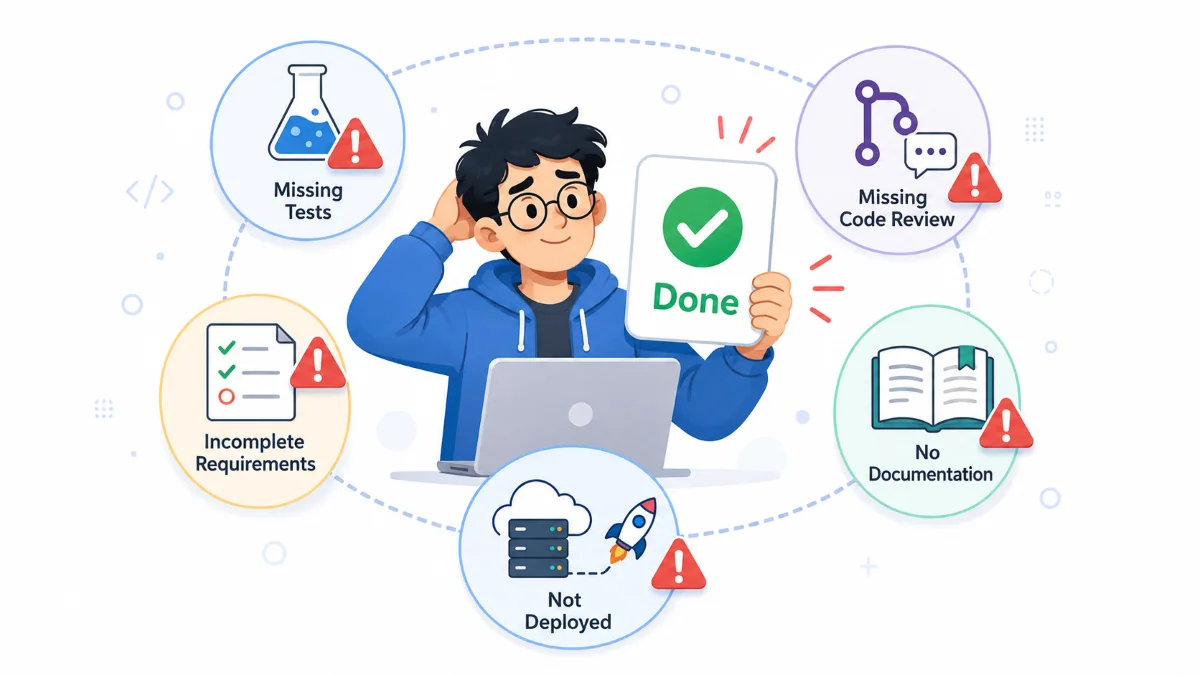
Before moving a task to Done, ask yourself:
1. Have all acceptance criteria been fulfilled?
2. Have I tested the normal scenario?
3. Have I tested error scenarios?
4. Are there no suspicious errors in the logs?
5. Is my code easy to read?
6. Have I created a pull request?
7. Have I addressed review feedback?
8. Has the code been merged into the target branch?
9. Does the feature run in the required environment?
10. Is there any documentation that needs to be created or updated?
If many answers are still “no”, then the task is not truly Done yet.
Maybe it is only:
Coding Done
But not yet:
Development Done
Closing
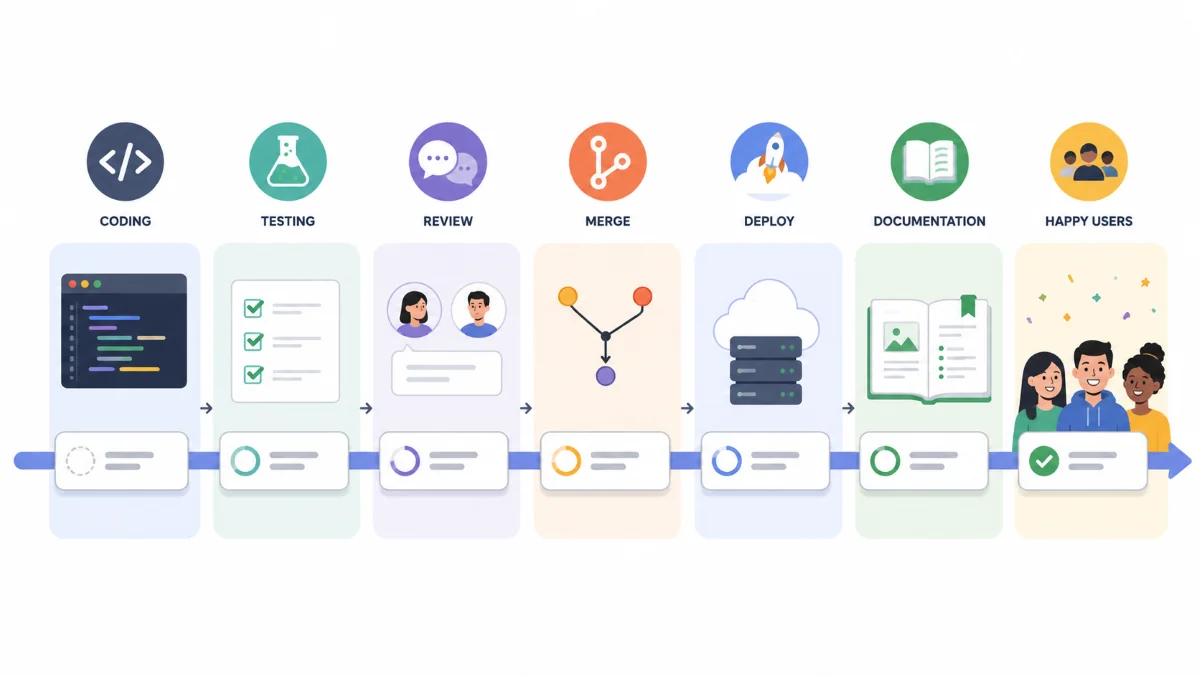
In software development, finishing a task is not only about writing code.
A good task must meet the requirement, be tested, be reviewed, be merged, run in the target environment, and be documented if needed.
That is the purpose of Definition of Done.
Definition of Done helps developers and teams share the same standard for what “done” really means.
So, the next time you want to say:
“This task is done.”
Make sure it does not only mean:
“It works on my laptop.”
But truly means:
“It is ready to be used according to the team’s standard.”
Comments