
Many beginner programmers think a task is finished once the code works on their local machine.
In a real Agile/Scrum environment, that is rarely enough.
A task usually goes through several stages before it can truly be considered Done. It starts from the backlog, gets discussed during refinement, selected during sprint planning, implemented by developers, reviewed by other programmers, tested, demonstrated, and finally marked as complete.
This article explains the sprint development workflow in simple terms, especially for programmers who are new to Agile/Scrum teams.
Why Programmers Need to Understand the Sprint Workflow
As programmers, our main responsibility is to write code. But in real software projects, development is not only about coding.
There are requirements to understand, business priorities to follow, code quality standards to maintain, tests to run, and feedback from users or stakeholders to consider.
If a programmer only thinks, “The code is done, so the task is done,” several problems can happen:
- the feature does not match the user’s needs,
- the task keeps going back and forth because the requirement was unclear,
- bugs appear during testing,
- the code is hard to review,
- the developer feels the task is finished, but the team does not agree.
Understanding the sprint workflow helps programmers see a task more completely: from an initial idea to something that is actually ready to use.
A Simple Overview of the Sprint Development Workflow
In general, the lifecycle of a task in sprint development looks like this:
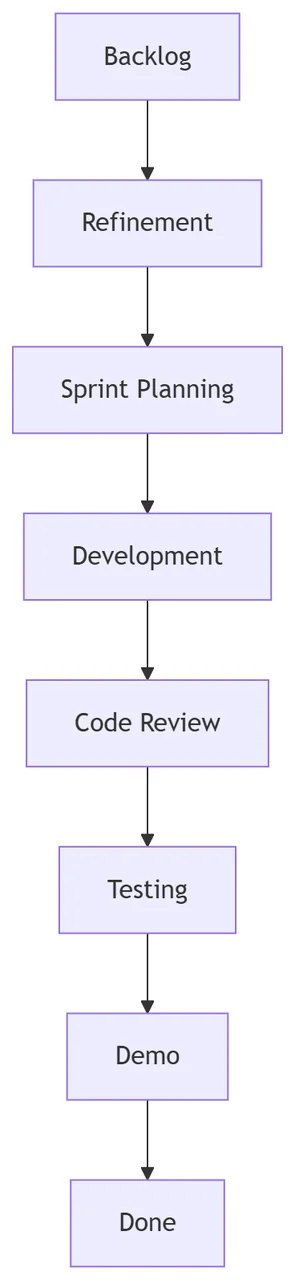
Every team may have a slightly different process. In some teams, testing happens in parallel with development. In other teams, the demo happens at the end of the sprint during the sprint review.
But the flow above is commonly found in Agile/Scrum teams.
1. Backlog: Where Ideas and Requirements Are Collected
The backlog is a list of work items that may need to be done by the team. It can contain new features, bug fixes, improvements, technical debt, research tasks, or small changes requested by users.
Example backlog item:
As an admin, I want to export transaction reports to Excel so that I can analyze the data further.
At this stage, the task may not be ready for development yet. The idea might still be rough, the requirement may not be complete, or the priority may not be clear.
Programmers need to understand that not every item in the backlog will automatically enter the next sprint. The Product Owner or the team usually prioritizes which items are most important.
What Programmers Should Pay Attention To
When reading a backlog item, do not jump directly into technical implementation.
Understand the basics first:
- what problem needs to be solved,
- who the user is,
- what output is expected,
- whether there are specific business rules,
- whether there are technical risks.
A useful question could be:
“Should the Excel export follow the selected filters on the page, or should it export all data?”
A simple question like this can prevent incorrect implementation later.
2. Refinement: Making the Task Clear Before the Sprint
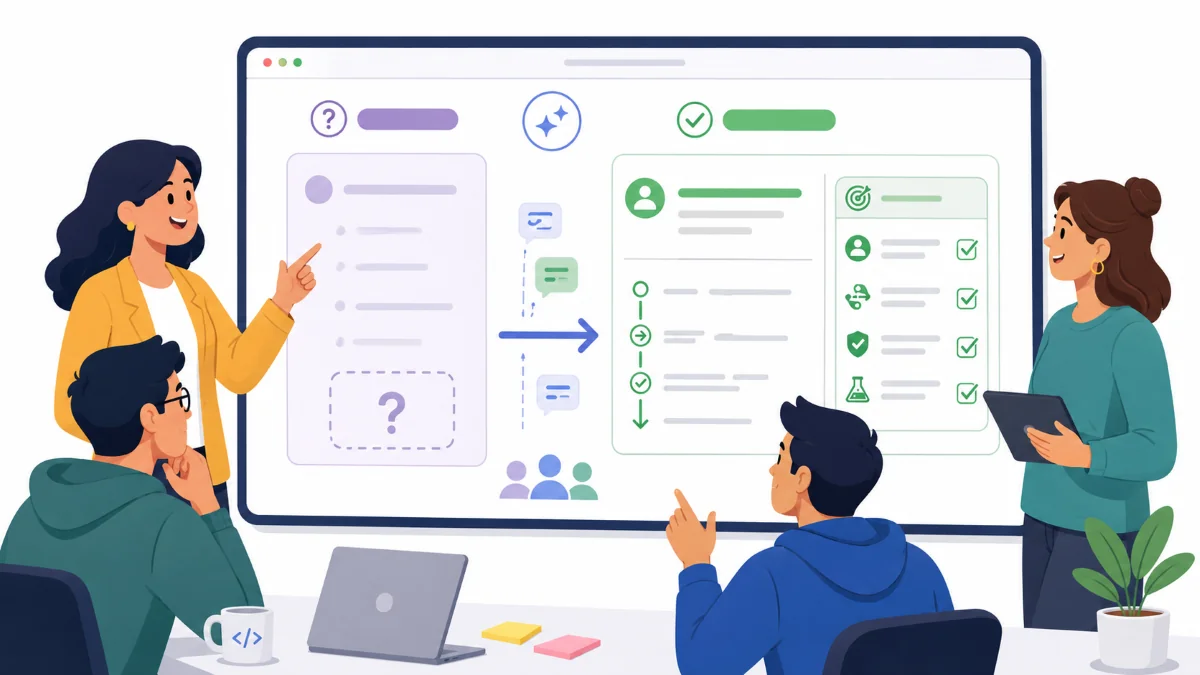
Backlog refinement is the process of discussing backlog items so they become clearer and more ready to be worked on.
During refinement, the team usually clarifies the requirement, acceptance criteria, workflow, data, rules, and initial estimation.
The goal of refinement is not to start coding immediately. The goal is to make sure everyone has the same understanding.
Example before refinement:
Create invoice approval feature.
This is too broad. Invoice approval can mean many things.
After refinement, the task may become clearer:
As a finance supervisor,
I want to see a list of invoices waiting for approval
so that I can approve or reject invoices before they are sent to customers.
Acceptance criteria:
- User can see invoices with WAITING_APPROVAL status.
- User can approve an invoice.
- User can reject an invoice with a mandatory reason.
- After approval, the status changes to APPROVED.
- After rejection, the status changes to REJECTED.
- All actions are recorded in the history log.
With this level of detail, programmers have a clearer direction before starting development.
A Common Problem
Refinement is often treated as a formality.
When that happens, tasks enter the sprint while still being unclear. The impact can be serious:
- developers ask too many questions during the sprint,
- scope changes in the middle of development,
- estimates become inaccurate,
- testing reveals many requirement gaps,
- tasks fail to finish by the end of the sprint.
Good refinement saves development time.
3. Sprint Planning: Choosing What Will Be Worked On
Sprint planning is the meeting where the team decides what will be worked on during the sprint.
Usually, the team reviews prioritized backlog items and selects tasks based on team capacity, business priority, dependencies, and the sprint goal.
At this stage, programmers should actively provide technical input.
For example:
Task A looks small from the UI side, but the backend requires a database structure change.
Or:
This task depends on an API from another team, so there is a blocker risk.
This kind of input is important. Planning should not only be based on business expectations, but also on technical reality.
Output of Sprint Planning
After sprint planning, the team usually has:
- a sprint goal,
- a list of tasks included in the sprint,
- effort estimation,
- initial task ownership,
- shared understanding of priorities,
- known risks and dependencies.
Good sprint planning helps programmers understand not only what to build, but also why it matters.
4. Development: When Programmers Start Building the Task
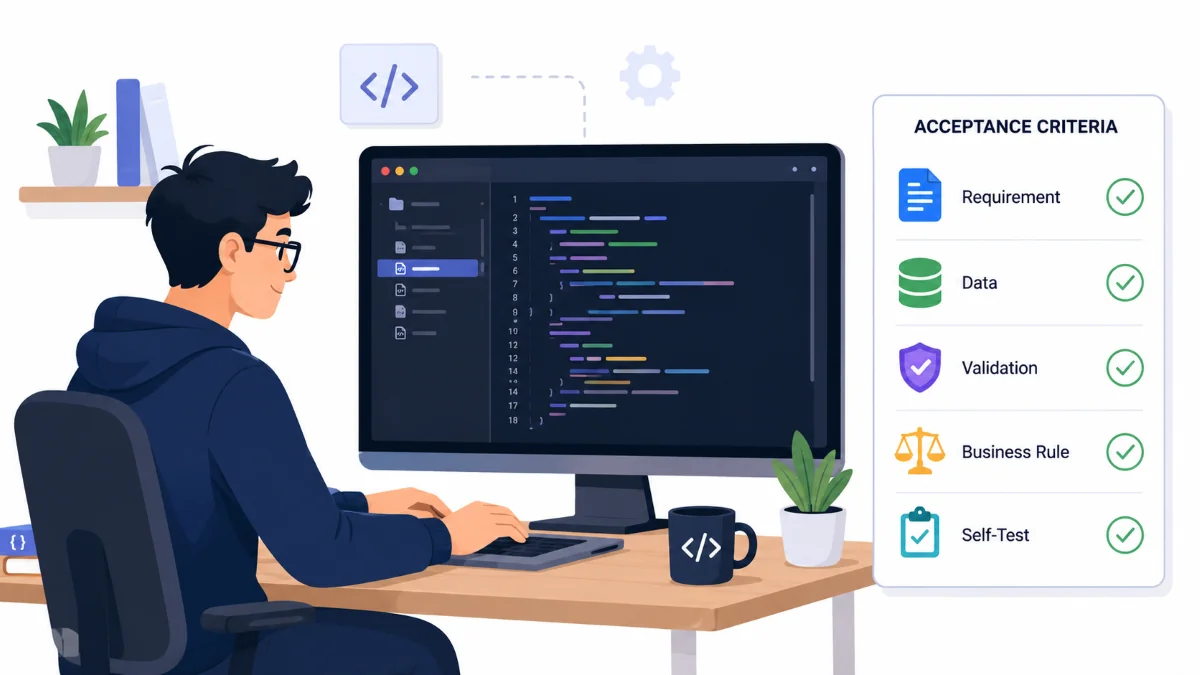
Development is the stage where programmers start creating the technical solution.
But before opening the code editor, it is better to make sure a few things are clear:
- The requirement is understood.
- The acceptance criteria are clear.
- UI/API design is available if needed.
- Required data is known.
- Business rules are understood.
- Dependencies with other tasks are clear.
After that, implementation can begin.
Common activities during development include:
- creating a new branch,
- creating or updating database schema,
- building APIs,
- building UI,
- writing validation,
- adding unit tests if needed,
- doing self-testing,
- making sure the code follows team standards.
Do Not Only Aim for “It Works on My Machine”
One common mistake among beginner programmers is thinking the task is finished once the feature works locally.
But the task still needs to go through review, testing, and validation.
For example, an Excel export feature may already generate a file. But does it handle these cases?
- Does the data follow the selected filters?
- Is the date format correct?
- Are currency values formatted properly?
- Can users without permission access the export?
- Does it still work with thousands of rows?
- Is the error handling clear?
Good development is not only about making the feature run. It is about making the feature ready for the next stages.
5. Code Review: Maintaining Quality Before the Code Is Merged
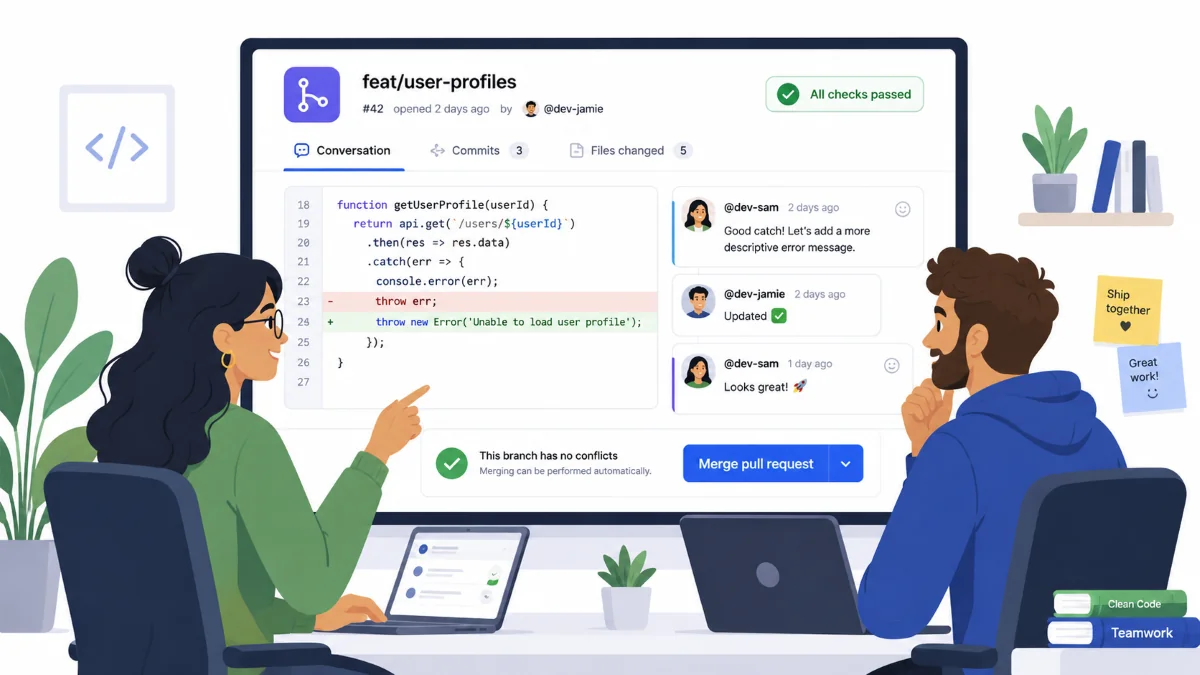
After development is finished, programmers usually create a pull request or merge request.
During code review, another programmer checks the code before it is merged into the main branch.
Things commonly checked during code review include:
- Does the solution match the requirement?
- Is the code easy to read?
- Are there potential bugs?
- Is the code structure consistent?
- Is there duplicated logic?
- Are database queries safe and efficient?
- Are validation and error handling sufficient?
Code review is not meant to attack the developer. Its purpose is to protect code quality as a team.
A Good Attitude During Code Review
Do not be too defensive when receiving review comments.
For example, a reviewer may write:
This logic can be moved to the service layer so the controller does not become too large.
Instead of treating it as a personal criticism, treat it as a chance to improve the code.
However, reviewers can also be wrong. If there is a strong technical reason, the developer can explain it clearly:
I placed it in the controller because this logic is only used by one endpoint and there is no reuse requirement yet. But if the team prefers the service layer, I can move it.
This kind of communication makes code review a healthy technical discussion.
6. Testing: Making Sure the Feature Matches the Requirement

After the code is reviewed and merged into a specific environment, the task usually enters the testing stage.
Testing may be done by developers, QA, automation tests, Product Owners, or a combination of several roles depending on the team structure.
Common types of testing include:
- functional testing,
- regression testing,
- integration testing,
- API testing,
- UI testing,
- user acceptance testing.
For example, for an invoice approval feature, the tester may check:
- A user with supervisor role can approve an invoice.
- A user without supervisor role cannot approve an invoice.
- Rejection requires a reason.
- Status changes correctly.
- History log is recorded.
- Data remains correct after refreshing the page.
If bugs are found, the task may be returned to the developer for fixing.
What Programmers Should Remember
A bug found by QA does not mean the programmer failed. It is a normal part of the development process.
What matters is understanding the pattern.
If bugs appear because the requirement was unclear, refinement needs to improve.
If bugs appear because the developer did not self-test, development discipline needs to improve.
If bugs appear because other features were affected, regression testing needs to be strengthened.
7. Demo: Showing the Result to the Team or Stakeholders
A demo is usually done to show the result of the work completed during the sprint.
In Scrum, this often happens during the Sprint Review. The team presents the finished increment to stakeholders.
For programmers, the demo is a chance to confirm whether the feature really solves the user’s problem.
A simple demo may look like this:
Today I will demo the transaction report export feature.
First, I select a date filter.
Then, I click the Export button.
The system generates an Excel file.
Inside the file, the data follows the selected filter.
A good demo does not need to be too technical. The focus should be on workflow and user value.
A Risk During Demo
Sometimes a feature looks technically complete, but stakeholders give new feedback.
For example:
“Can we also add the Customer Segment column?”
At this point, it is important to distinguish between a bug, a requirement gap, and a new improvement.
If the column was already agreed as part of the original requirement, then it is a gap.
But if it is a new request, it should usually become a new backlog item instead of expanding the current task endlessly.
8. Done: More Than Just Finished Coding
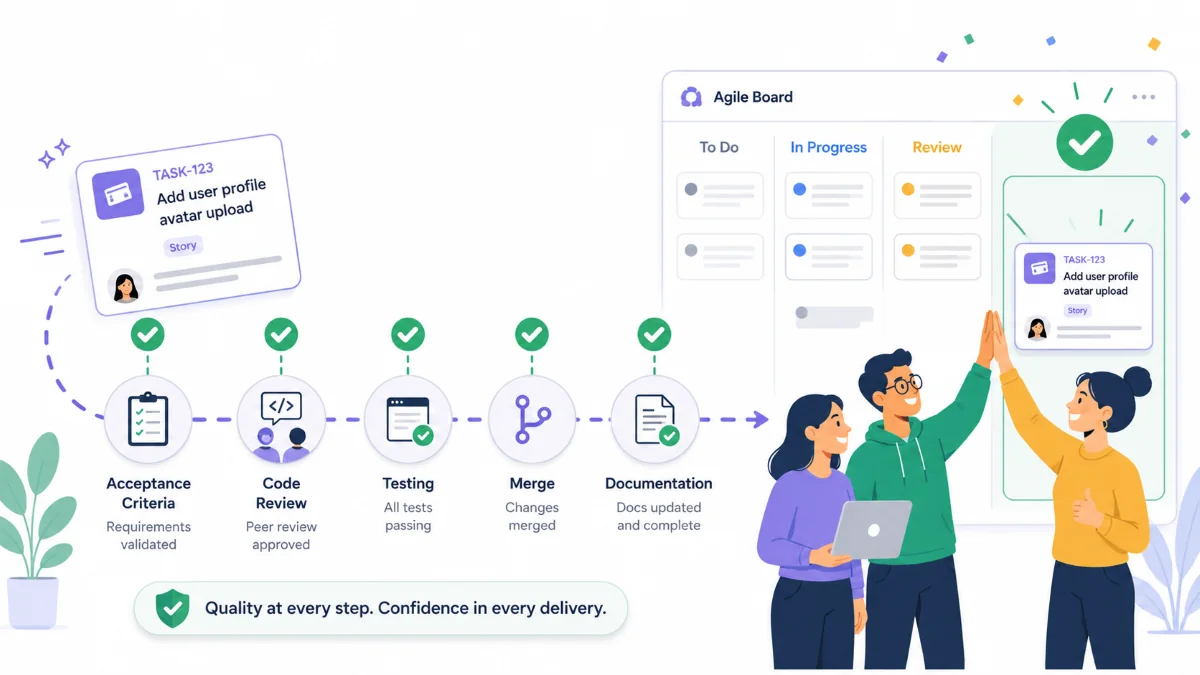
The final stage is Done.
In Agile/Scrum teams, Done usually refers to the Definition of Done, which is the team’s shared agreement about the minimum conditions required for a task to be considered complete.
Example Definition of Done:
- Acceptance criteria are fulfilled.
- Code has been reviewed.
- There are no critical bugs.
- Testing has been completed.
- Code has been merged into the main branch.
- Documentation is updated if needed.
- The feature is ready to be demonstrated or released.
So, a task is not automatically Done just because the developer has finished coding.
A task is truly Done when it meets the quality standards agreed by the team.
Example Task Lifecycle in a Real Project
Let’s say there is a task:
Add an attachment upload feature to the reimbursement request form.
The lifecycle may look like this.
Backlog
The Product Owner adds the attachment upload requirement because users need to attach transaction proof.
Refinement
The team discusses the details:
- Allowed file formats: PDF, JPG, PNG.
- Maximum file size: 5 MB.
- Attachment is required before submit.
- User can delete attachment before submit.
- File is stored in object storage.
Sprint Planning
The team decides to include the task in the sprint because it has high priority.
The developer gives a technical note:
This requires integration with the storage service and file validation on the backend.
Development
The developer builds the upload UI, upload API, file validation, and attachment metadata storage.
Code Review
The reviewer suggests that file size validation should also be done on the backend, not only on the frontend.
Testing
QA finds a bug: files larger than 5 MB can still be uploaded directly through the API.
The developer fixes the backend validation.
Demo
The team demonstrates the attachment upload flow from the reimbursement form.
Done
The task is marked as Done because the acceptance criteria are met, the feature has been tested, the code has been reviewed, and the feature is ready to use.
Common Mistakes New Programmers Make in Sprint Development
There are several common mistakes programmers make when they are new to Agile/Scrum environments.
1. Coding Without Understanding the Requirement
This often causes the final result to miss the actual user need.
Before coding, ask:
What problem are we trying to solve?
Who is the user?
What output is expected?
What are the acceptance criteria?
2. Not Updating Progress
In a sprint, progress updates are important so the team understands the task condition.
Do not wait until the daily scrum to mention a serious blocker. If there is an obstacle, communicate it early.
Example:
I am blocked because the API from another team is not ready yet.
For now, I will mock the response so the UI work can continue.
3. Treating Code Review as an Obstacle
Code review is not a blocker. It is a process to maintain quality.
The more often you receive review feedback, the better your code quality usually becomes.
4. Not Doing Self-Testing
Before handing a task to QA, developers should do basic self-testing using the acceptance criteria.
Simple self-testing can reduce bugs that should have been found earlier.
5. Letting the Scope Expand Too Much
Sometimes during development, many extra ideas appear.
For example:
Let’s also add a new filter.
Let’s also change the layout.
Let’s also refactor another module.
Additional ideas are fine, but they should not always be added to the current task.
Uncontrolled scope expansion can cause the task to miss the sprint deadline.
Practical Tips for Programmers Working in a Sprint
Here are some simple habits that can help programmers work better during a sprint.
Read the Task Before the Sprint Starts
If the backlog is already available, spend time reading tasks that may enter the sprint.
This helps you prepare better questions during planning or refinement.
Use Acceptance Criteria as a Checklist
During development, use acceptance criteria as your personal checklist.
Example:
[x] User can see invoices with WAITING_APPROVAL status.
[x] User can approve an invoice.
[x] User can reject an invoice with a reason.
[x] Status changes correctly based on the action.
[x] History log is recorded.
This checklist helps make sure the task is not only partially done.
Create Pull Requests That Are Easy to Review
A good pull request usually:
- is not too large,
- has a clear description,
- explains the main changes,
- explains how it was tested,
- includes screenshots if there are UI changes.
Example pull request description:
## Summary
Add invoice rejection feature with mandatory reason.

## Changes
- Add rejection_reason field.
- Add validation to require reason when rejecting.
- Add history log for rejection action.

## Test
- Reject without reason shows an error.
- Reject with reason changes status to REJECTED.
- History log is recorded.
Communicate Blockers Early
If you face a blocker, do not keep it to yourself for too long.
A small blocker that is ignored can become the reason a task fails to finish by the end of the sprint.
Understand That Done Is a Team Result
A task becomes Done because of contributions from many roles: Product Owner, developer, reviewer, QA, Scrum Master, and stakeholders.
Programmers play a major role, but final quality is a shared responsibility.
Conclusion
Sprint development is not just about taking a task and writing code.
There is a lifecycle to understand: backlog, refinement, planning, development, code review, testing, demo, and Done.
For programmers who are new to Agile/Scrum, understanding this workflow helps you work more clearly, communicate better, and deliver features that are more ready to use.
The key lesson is simple: do not only aim for “I have finished coding.”
Aim for a result that is truly usable, aligned with the requirement, tested, reviewed, and aligned with the team’s Definition of Done.
Because in real projects, a good task is not just finished on your local machine. It is finished as part of a product that users can trust.
Comments