
Fixing MuMuPlayer 6 on Windows 11: From ‘Abnormal Runtime Environment’ to UUID Mismatch
I run MuMuPlayer 6.8.16 on a Lenovo IdeaPad Slim 7 ProX (Ryzen 9 6900HS, 32 GB RAM, Windows 11 Home 25H2) for Android 15 emulation. Out of nowhere, MuMu completely refused to boot. It took an entire day of rigorous diagnostic root-cause analysis to pinpoint the culprit. As it turned out, it was not a single isolated bug, but two cascading, distinct failure layers: an environment verification gate (Hypervisor and Virtualization-Based Security / VBS) followed by a VirtualBox disk image UUID mismatch.
This article documents the end-to-end diagnostic trail and remediation steps so that if you run into the exact same wall, you can skip the trial-and-error detours.
The Environment
- Host Machine: Lenovo IdeaPad Slim 7 ProX 14ARH7, AMD Ryzen 9 6900HS, 32 GB RAM, Windows 11 Home 25H2 (OS Build 26200.9974), NVIDIA GeForce RTX 3050 Laptop GPU + AMD Radeon 680M iGPU, UEFI with Secure Boot enabled.
- Emulator: MuMuPlayer 6.8.16 running an Android 15 virtual device instance (4 vCPU, 5 GB RAM, 2560×1440 resolution).
- Coexisting Hypervisor Software: Docker Desktop (WSL2 engine), Oracle VirtualBox 7.2.22, and Android Studio. All three are directly relevant to virtualization resource contention on modern Windows.
Symptoms: Two Fundamentally Distinct Failures
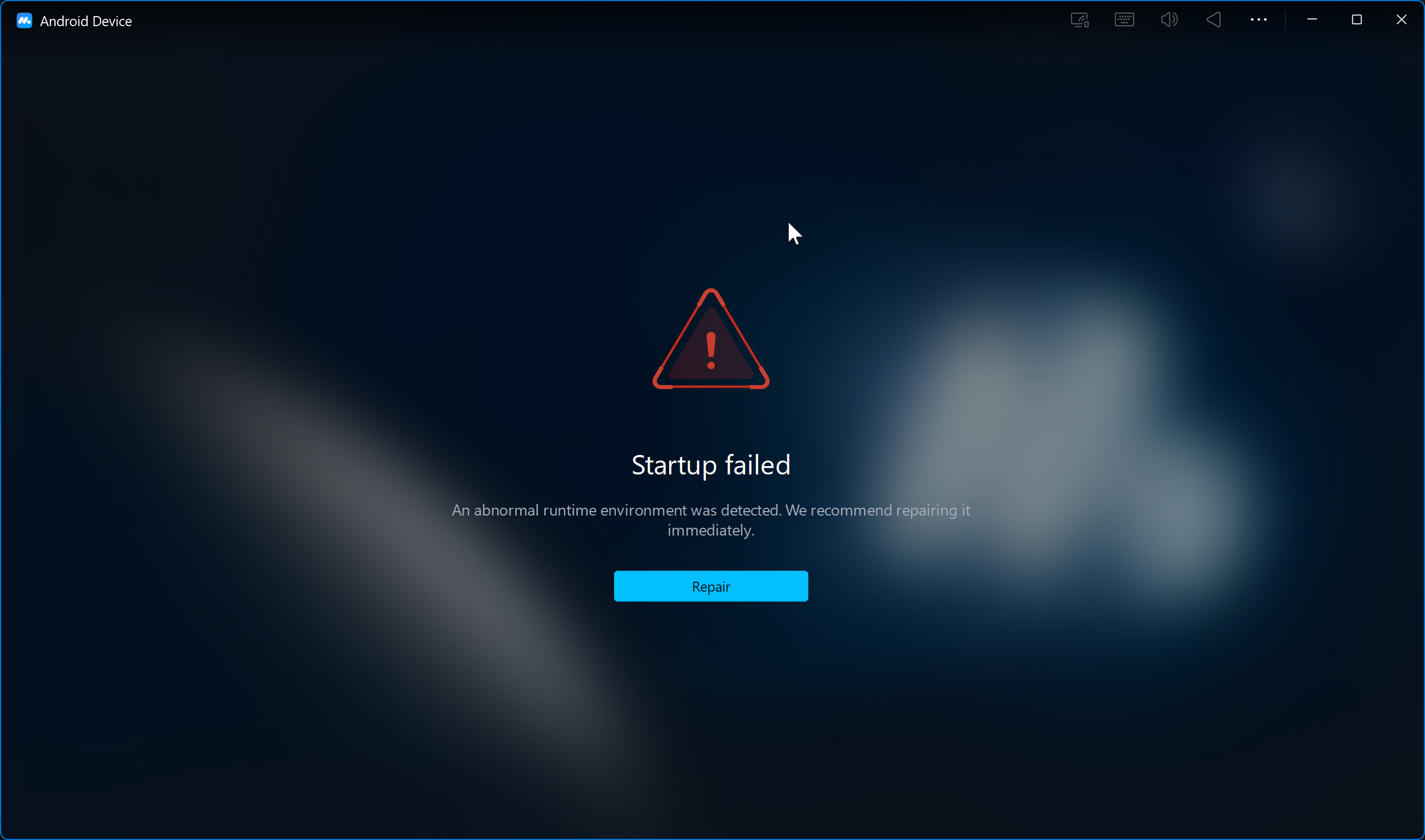
- Initial Symptom: Upon launching MuMuPlayer, an immediate blocking dialog appeared:
“Startup failed — An abnormal runtime environment was detected. We recommend repairing it immediately.” (accompanied by a Repair button).
- Secondary Symptom: After applying various environment hardening fixes and performing a clean reinstall, the runtime environment error disappeared—only for the emulator to freeze indefinitely at 10% loading progress, completely stalled during virtual machine startup.
These two symptoms represent two entirely separate technical failure layers. Diagnosing them requires treating them independently.
1. Disabling Hypervisor and Virtualization-Based Security (VBS)
Running msinfo32 (System Information) revealed the underlying virtualization state:
- “A hypervisor has been detected. Features required for Hyper-V will not be displayed”
- “Virtualization-based security: Running”
Under Windows Features: Virtual Machine Platform was checked (ON), Windows Subsystem for Linux was ON, and Windows Hypervisor Platform was unchecked (OFF). In the system BIOS, AMD SVM (Secure Virtual Machine) was enabled (VBS cannot execute without hardware SVM).
Initial troubleshooting steps: unchecking Virtual Machine Platform in Windows Features, disabling Memory Integrity in Windows Security → Device Security → Core Isolation, executing bcdedit /set hypervisorlaunchtype off, and rebooting.
PowerShell Syntax Pitfall: Quoting {current}
Running bcdedit /set {current} hypervisorlaunchtype off fails immediately in PowerShell because PowerShell parses {current} as an executable script block. The identifier must be enclosed in quotes:
bcdedit /set "{current}" hypervisorlaunchtype off
Alternatively, run the command inside an elevated Command Prompt (cmd.exe).
The BCD Setting Persistence Trap
In some scenarios, BCD entries appeared to vanish following a reboot (querying bcdedit showed Off before reboot, but findstr returned empty strings post-reboot). Once properly escaped with quotation marks, the entries persisted across reboots: hypervisorlaunchtype Off and vsmlaunchtype Off for both {current} and {default}.
Despite this, msinfo32 continued to report that a hypervisor was detected and that Virtualization-based security was still actively Running.
The Real Culprit: Enhanced Sign-in Security (ESS / KeyGuard)
Inspecting DeviceGuard KeyGuard Status exposed the true mechanism keeping the hypervisor alive:
IsSecureKernelRunning=1, KeyGuardEnabled=1
Under Windows Settings → Accounts → Sign-in options, there was an entry labeled “Enhanced sign-in security” with an “Update PIN” button (and no visible on/off toggle). This security layer is governed by the registry path DeviceGuard\Scenarios\WindowsHello where Enabled is set to 1.
The registry command that ultimately disabled the hypervisor and secure kernel:
reg add "HKLM\SYSTEM\CurrentControlSet\Control\DeviceGuard\Scenarios\WindowsHello" /v Enabled /t REG_DWORD /d 0 /f
Following a system restart, msinfo32 finally updated:
- “Virtualization-based security: Not enabled”
- The line “A hypervisor has been detected” vanished completely.
Warning: Do not click the “Update PIN” prompt in Windows Settings. Clicking it will re-enroll your credentials under Enhanced Sign-in Security (ESS) protection, reversing the registry modification.
Candid Note: Disabling the hypervisor alone did not immediately eliminate the “Abnormal Runtime Environment” error banner (the error briefly persisted despite the hypervisor being dead). It was only permanently cleared after a composite sequence: clicking Repair + clean uninstall + reinstallation + disabling the Microsoft Vulnerable Driver Blocklist + restart. This security gateway enforces multiple validation checks.
2. Identifying the Real MuMu Kernel Driver
Early in the investigation, I wasted time hunting for a non-existent driver name: MuMuVMMDrv does not exist (sc query returned system error 1060). The actual driver powering MuMu 6 is MuMuNxSup (VBox Support Driver—reflecting that MuMu 6 is engineered on top of VirtualBox virtualization technology).
Commands to verify driver presence and execution state:
driverquery | findstr /i "mumu"
pnputil /enum-drivers | findstr /i "mumu"
sc.exe query MuMuNxSup
Get-Service | Where-Object { $_.Name -like "*MuMu*" }
Validation findings:
MuMuNxSupKernel driver is installed and active.mumuplayeridddriver.infis registered in the Windows Driver Store.sc query MuMuNxSupreturnsSTATE: 4 RUNNING.- Service
MuMuPlayerRemoteServiceis inRunningstatus.
Because the driver was running normally, the Vulnerable Driver Blocklist (which I had disabled temporarily for isolation testing) was proven not to be the root cause and can safely be re-enabled.
3. Renderers, Device Profiles, and Eliminated Hypotheses
MuMu 6 provides two graphics rendering modes: Vulkan and OpenGL (DirectX is not an option). The initial setup used Vulkan; I switched it to OpenGL (the stability fallback mode) and disabled NVIDIA High Performance mode as a baseline test.
I then deleted the existing Android virtual device instance and generated a brand-new one. The result: startup still stalled unconditionally at 10%.
Other hypotheses definitively ruled out:
- Android Studio emulator hypervisors (
gvm) and Intel HAXM were not installed on this machine. bcdeditconfiguration had not regressed (remainedOff).- Available disk space on drive
C:was 134 GB (no disk exhaustion).
4. Inspecting MuMu Logs — Finding the Smoking Gun
MuMu’s installation and virtual machine directory structure:
- Installation Directory:
C:\Program Files\Netease\MuMuPlayer - VM Instance Folder:
vms\MuMuPlayerGlobal-15.0-0 - VirtualBox Engine:
C:\Program Files\MuMuNxVBox
Locating recent logs via PowerShell:
$mu = (Get-ItemProperty "HKLM:\SOFTWARE\Microsoft\Windows\CurrentVersion\Uninstall\*" | Where-Object DisplayName -like "*MuMu*" | Select-Object -First 1).InstallLocation
Get-ChildItem $mu -Recurse -Include *.log -ErrorAction SilentlyContinue | Sort-Object LastWriteTime -Descending | Select-Object -First 10 FullName, LastWriteTime, Length
Log analysis findings:
VBox.log: Measuring just 1,117 bytes, the tiny file size was an immediate red flag. The log showed the VM (VirtualBox 7.2.4_OSE customized by MuMu) transitioning to'Starting', and a mere 41 milliseconds later transitioning straight to'PoweredOff':Power up failed (vrc=VINF_SUCCESS, hrc=E_FAIL (0x80004005))There was no hardware virtualization initialization sequence whatsoever, and no
VERR_SVMhypervisor faults—confirming this was not a CPU hardware virtualization failure.nx_main.log: Renderer detection succeeded cleanly (both Vulkan and OpenGL supported); the UI progress bar incremented to 10% and halted.vboxmanager.log: Following the boot failure, NAT cleanup triggeredVERR_OLE_INVALID_ARGandVERR_OLE_FAILURE—indicating a broken COM RPC state.user_VBoxSVC.log: Contained the definitive smoking gun:
UUID {caaaaaaa-aaaa-aaaa-aaaa-aaaaaaaaaaac} of the medium ‘…\nx_device\15.0\vms\MuMuPlayerGlobal-15.0-base\system.vdi’ does not match the value {f3c5580a-4edb-517c-0000-100000000000} stored in the media registry (‘C:\Users\alama.MUMUNX\VirtualBox.xml’)
Root Cause: The software reinstallation wrote fresh base system VDI images carrying generic placeholder UUIDs, while the user profile media registry (VirtualBox.xml) and VM definition file (.nemu) retained expectations for the previous UUID schema. VirtualBox strictly rejects virtual storage media whose internal header UUIDs mismatch registry entries, terminating the VM 41 ms after launch.
5. Remediation: Synchronizing UUIDs with sethduuid
Do not execute sethduuid blindly. First, extract the actual UUID headers from all three virtual disks using VBoxManage and cross-reference them against the .nemu XML definition:
& "C:\Program Files\Oracle\VirtualBox\VBoxManage.exe" internalcommands dumphdinfo "C:\Program Files\Netease\MuMuPlayer\nx_device\15.0\vms\MuMuPlayerGlobal-15.0-base\system.vdi" | Select-String -Pattern "UUID"
& "C:\Program Files\Oracle\VirtualBox\VBoxManage.exe" internalcommands dumphdinfo "C:\Program Files\Netease\MuMuPlayer\vms\MuMuPlayerGlobal-15.0-0\data.vdi" | Select-String -Pattern "UUID"
& "C:\Program Files\Oracle\VirtualBox\VBoxManage.exe" internalcommands dumphdinfo "C:\Program Files\Netease\MuMuPlayer\vms\MuMuPlayerGlobal-15.0-0\ota.vdi" | Select-String -Pattern "UUID"
Select-String -Path "C:\Program Files\Netease\MuMuPlayer\vms\MuMuPlayerGlobal-15.0-0\MuMuPlayerGlobal-15.0-0.nemu" -Pattern "f3c5580a|caaaaaaa"
(Note: Standard Oracle VirtualBox VBoxManage.exe can be used interchangeably because MuMu’s disks are standard VDI images).
Disk UUID Comparison Matrix
| Disk Image | Actual VDI Header UUID | UUID Expected by .nemu |
Sync Status |
|---|---|---|---|
system.vdi |
{caaaaaaa-aaaa-aaaa-aaaa-aaaaaaaaaaac} |
{f3c5580a-4edb-517c-0000-100000000000} |
Mismatch |
ota.vdi |
{bccccccc-cccc-cccc-cccc-cccccccccccd} |
{f3c5580a-4edb-517c-0001-000000000000} |
Mismatch |
data.vdi |
{f3c5580a-4edb-517c-0002-000000000000} |
{f3c5580a-4edb-517c-0002-000000000000} |
Match |
The {f3c5580a...} UUID namespace is the intended identity scheme (both the virtual machine UUID and data.vdi use it). system.vdi and ota.vdi were left with generic sequential placeholders. Because all three disks are independent stand-alone drives (Parent UUID is zero / not differencing disks), updating their header UUIDs is completely safe.
Remediation Execution
Terminate all active MuMu and VirtualBox background daemons before modifying disk headers:
# 1. Force-stop background daemon processes
Get-Process MuMuNxSVC, VBoxSVC -ErrorAction SilentlyContinue | Stop-Process -Force

# 2. Re-assign disk UUIDs to match .nemu configuration definitions
& "C:\Program Files\Oracle\VirtualBox\VBoxManage.exe" internalcommands sethduuid "C:\Program Files\Netease\MuMuPlayer\nx_device\15.0\vms\MuMuPlayerGlobal-15.0-base\system.vdi" f3c5580a-4edb-517c-0000-100000000000
& "C:\Program Files\Oracle\VirtualBox\VBoxManage.exe" internalcommands sethduuid "C:\Program Files\Netease\MuMuPlayer\vms\MuMuPlayerGlobal-15.0-0\ota.vdi" f3c5580a-4edb-517c-0001-000000000000
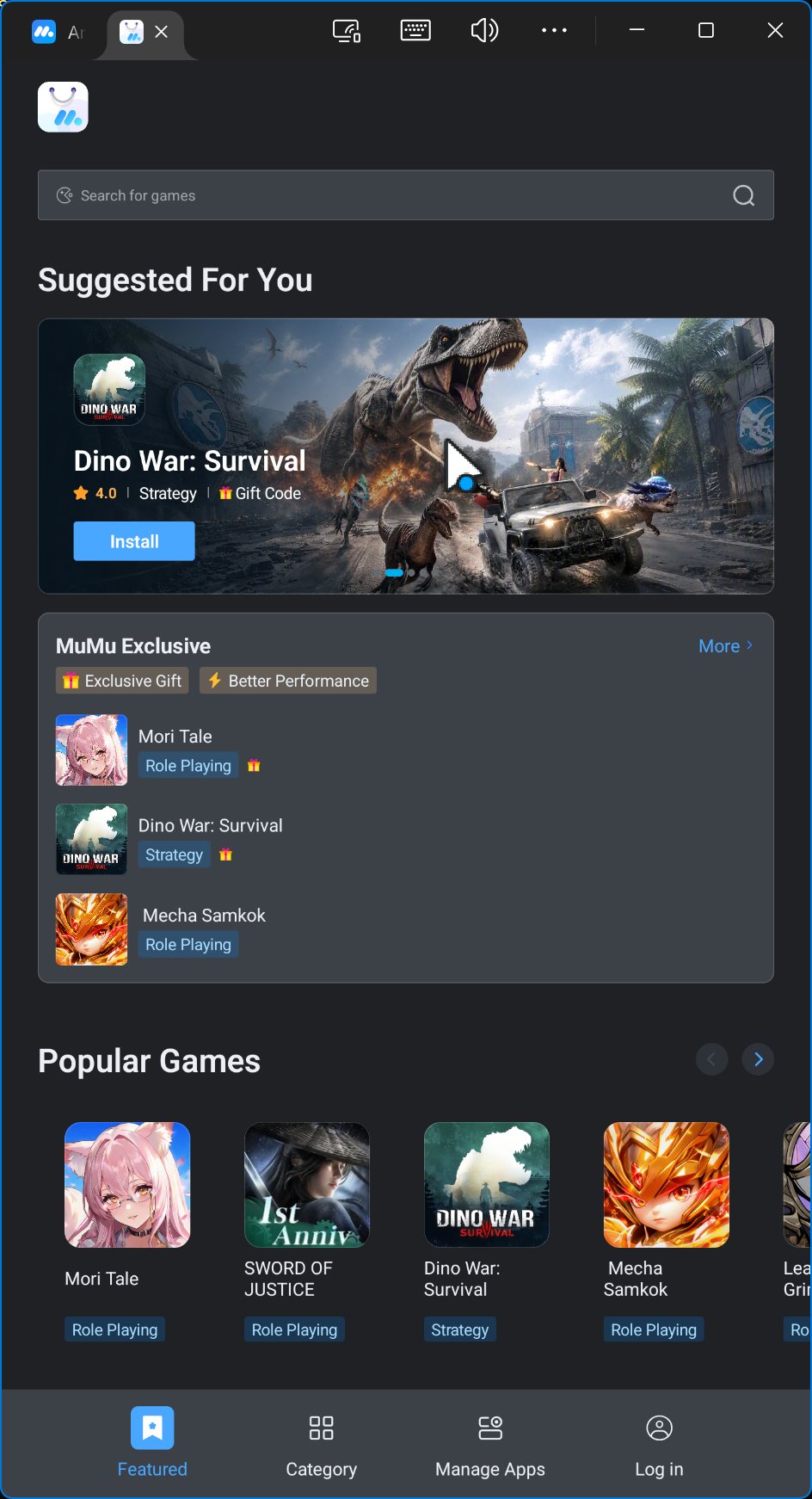
Re-run dumphdinfo to verify that both Creation UUID values reflect {f3c5580a...}. Launch MuMuPlayer: the 10% barrier is immediately surpassed, the Android 15 environment boots cleanly, the App Center interface renders, and guest networking operates without issue.
6. What Changed, and What Can Be Reverted
Once the emulator is running stably, here is the rollback roadmap:
Safe to Revert Immediately
- Vulnerable Driver Blocklist: Turn back On in Windows Security.
- Graphics Renderer: Switch back to Vulkan for optimal framerates.
- NVIDIA High Performance GPU Mode: Turn back On.
Do NOT Revert
- Registry backups (
.bakfiles in.MUMUNX): Restoring these will overwrite the media registry with corrupted stale UUID records. sethduuiddisk modifications: This is the permanent structural fix for the virtual disk headers.- Newly generated Android device instance: Keep using this clean instance.
The Mutual Exclusion Toggle: MuMu vs. Docker / WSL2
The following configuration group acts as an exclusive toggle between MuMuPlayer 6 and Docker Desktop / WSL2:
- Virtual Machine Platform & Memory Integrity
- BCD parameters:
hypervisorlaunchtypeandvsmlaunchtype(set toOff) - Registry entries:
EnableVirtualizationBasedSecurityandLsaCfgFlags(delete values to revert) - Windows Hello Scenario:
HKLM\SYSTEM\CurrentControlSet\Control\DeviceGuard\Scenarios\WindowsHello(revertEnabledto1to restore full ESS)
Re-enabling this bundle restores the Windows hypervisor—which causes MuMuPlayer 6 to re-trigger the “Abnormal Runtime Environment” error. Conversely, keeping it disabled prevents WSL2 and Docker Desktop from running. This is an architectural trade-off that developers must manage when working with Type-2 VirtualBox-derived emulators alongside Hyper-V.
(Note: HVCI Enabled was already 0 by default on this system, so no modification occurred there).
Key Lessons Learned
- Two Distinct Failure Gates: This scenario involved two separate checkpoints: host environment validation (Hypervisor/VBS) and VM power-on validation (UUID mismatch). Resolving the first does not solve the second.
- Log File Size as a Diagnostic Clue: A
VBox.logof roughly 1 KB signifies an instantaneous crash before virtual hardware initialization could take place. - Verify Third-Party Driver Names: Never rely on assumptions from outdated forums. MuMu 6 relies on
MuMuNxSup, notMuMuVMMDrv. - Clean Reinstalls Leave Residual Artifacts: User profile registries (
%USERPROFILE%\.MUMUNX) and disk image metadata are often preserved across reinstallation cycles, causing state desynchronization. - Diagnose Before Modifying Storage: Always dump disk header information (
dumphdinfo) and compare it against the VM manifest (.nemu) before running destructive or modifying commands likesethduuid.
Conclusion
MuMuPlayer is now operating normally on Windows 11. The compromise is that the Windows hypervisor must remain disabled while MuMu is in use, meaning Docker and WSL2 cannot run concurrently.
If you encounter the same pattern—an “abnormal runtime environment” warning followed by a 10% loading stall after reinstalling—inspect VBox.log and user_VBoxSVC.log before altering Windows system settings further. The root cause might simply be a disk UUID mismatch.
Comments